
Cook EditorDesktop
A desktop editor for .cook and .menu files, with CookBot AI built in. Write recipes in plain text, preview them as scaled recipes, build shopping lists, and plan meals — all from files on your own disk.
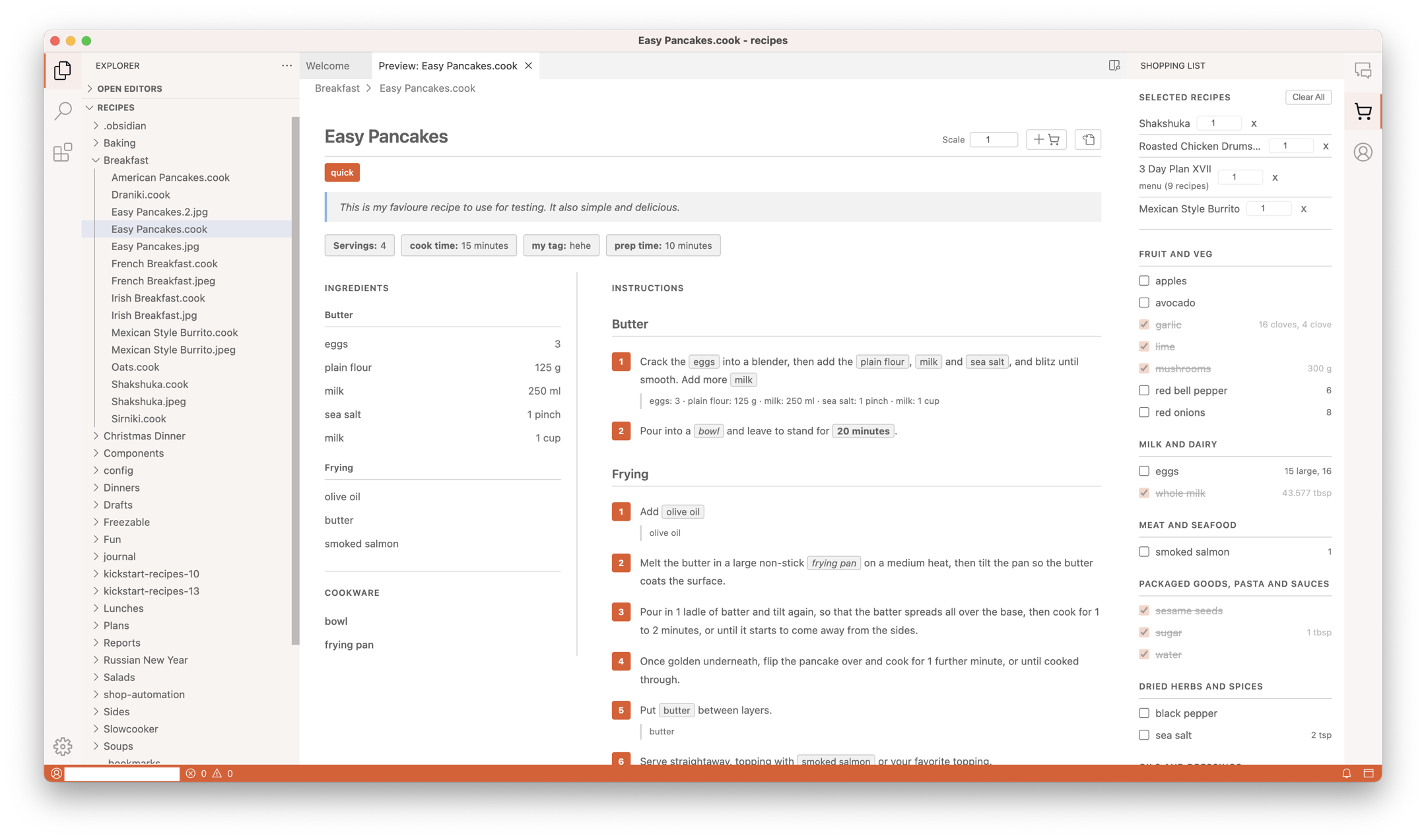
What is Cook Editor?
Cook Editor is an open-source desktop application for managing a recipe collection written in Cooklang. It ships for macOS, Windows, and Linux, and it treats your recipes as what they are: plain text files on your own disk.
- Syntax highlighting, inline validation, and autocomplete for Cooklang
- Recipe preview with scaling and ingredient chips
- Shopping lists combined from multiple recipes, grouped by aisle
- Multi-day meal plans in
.menufiles - CookBot AI sidebar that can import, edit, and plan — every edit one click to undo (Cook Pro)
- Syncs with the Cook.md iOS and Android apps
Who It's For
Cook Editor is aimed at cooks who want their recipe collection to stay on their own computer, in plain text, diffable with git, and readable in any editor fifty years from now. If that sounds like you, Cook Editor is where you'll spend most of your time writing and editing. The mobile apps are what you'll use in the kitchen.
Looking for the download? See the Installation page, or visit the Cook Editor home page.
What Next
- Installation — download links, first-launch setup, minimum OS versions.
- Getting Started — a walkthrough from opening a folder to your first meal plan.
- Features — every major feature, explained.
- Troubleshooting — common issues and how to report bugs.